Connecting an insurance agency website to your CRM or AMS
What a quote request payload should carry, how to map fields, route by line and producer, handle duplicates and failures, and what to test before launch.
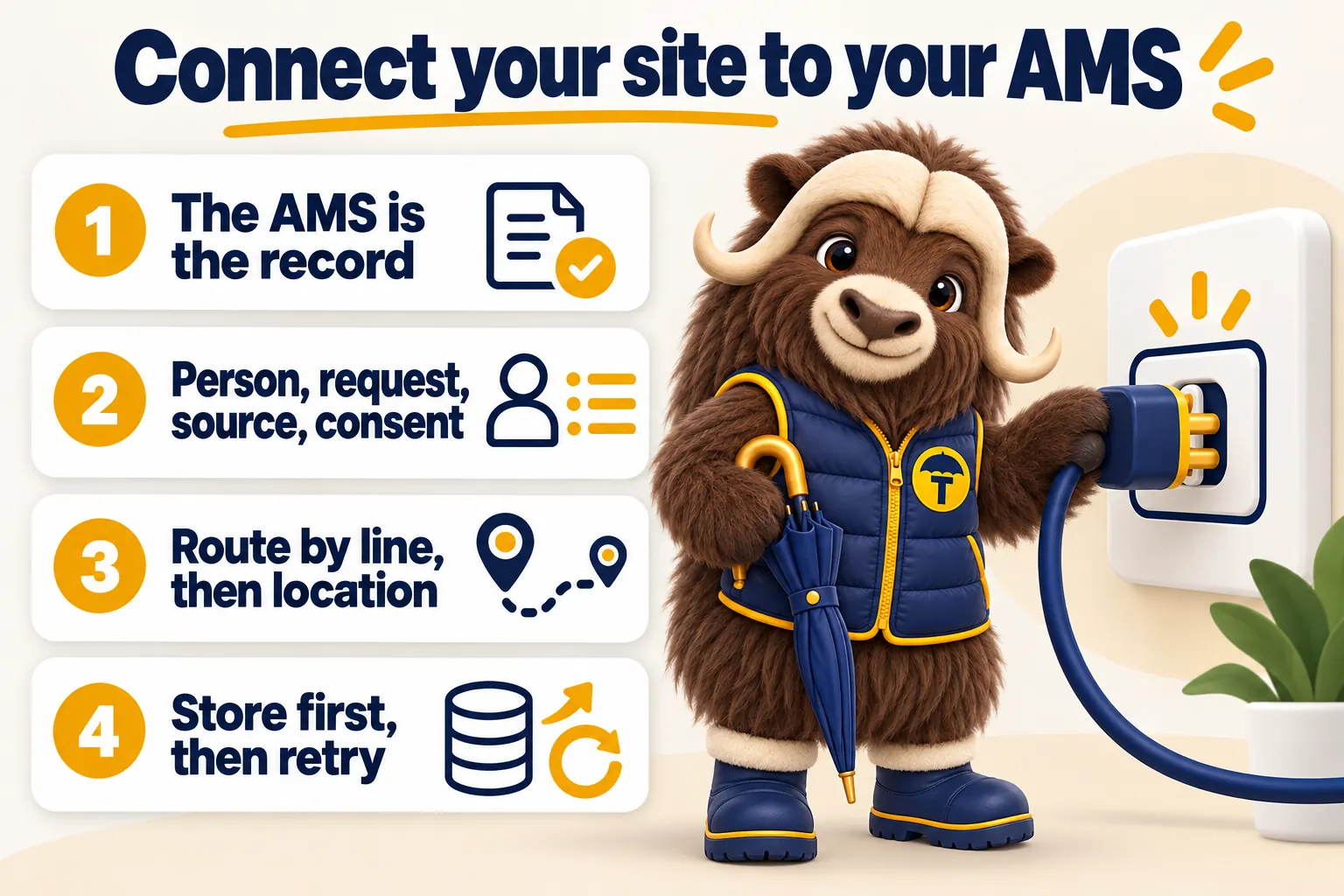
Connecting an agency website to a CRM or agency management system means one thing: a quote request submitted on the site becomes a complete, correctly labelled record in the system where producers already work, without anyone retyping it. The details of how that happens, by direct API, by Zapier or Make, or by a structured intake, matter less than the four things that decide whether it holds up: what the payload carries, where each field lands, how the request is routed, and what happens when something breaks. This article covers all four, plus duplicates, notifications and the list of things to test before launch.
This article is general information about websites and integrations for insurance agencies. GetInsuranceWebsite is a website design and management company. We are not an insurance agency, broker, carrier or licensed producer, and nothing here is advice about coverage, rates or eligibility. It is also not a substitute for your own vendor documentation or your own compliance and data protection advisers, who should review anything that moves applicant data between systems.
What a real connection looks like
A real connection creates a record in the agency’s system of record the moment a form is submitted, with the line of business, the applicant’s details, the answers they gave and the page they came from already in the right fields. The producer opens their normal work queue and the request is there, alongside the leads that arrived by phone and referral, ready to be worked and later reported on.
That is a higher bar than most agency sites clear. The common arrangement is a form that emails the office, and everyone agrees that somebody will key it into the system. On a quiet Tuesday that works. On the Monday after a storm it does not, and the requests that never made it into the system are invisible in every report the agency runs afterwards. This is why every plan we offer pushes submissions into the agency’s own system rather than an inbox, and why the features list treats CRM and AMS delivery as part of the build rather than an add-on.
The three honest ways to connect
There are three integration paths that hold up, and one that does not.
Direct API. The site posts the submission to an endpoint the destination system publishes, authenticated with credentials the agency owns. This is the shortest path, the fastest, and the one with the fewest places to break. It is the right default whenever the system offers a usable API and the agency can get credentials. HubSpot and GoHighLevel both publish developer documentation for this; several agency management systems expose intake endpoints or partner integrations rather than a general API, and the availability depends on the agency’s own contract and edition.
Zapier or Make. The site posts to a webhook, and the automation platform maps and forwards it. This is the pragmatic choice where no usable API exists, where the agency wants to fan one submission out to several destinations, or where the agency wants to change routing themselves later without a developer. Zapier’s own documentation on triggering from webhooks and the Make developer hub are the practical references. The tradeoff is an extra dependency in the chain and a monthly task cost that grows with volume.
Structured intake. Some systems accept a specifically formatted email or file drop and parse it into a record. It is less elegant and it is a legitimate fallback when the alternative is manual retyping. The important part is that the format is fixed and machine-readable, not a prose email that a parser will break on.
What does not count is a plain notification email with a free-text body and no record created anywhere. That is a message, not an integration.
Pick the destination before you build the form
Decide which system is the system of record before a single form field is designed, because the destination shapes the payload. An agency that runs its pipeline in a CRM and its policies in an AMS usually wants website requests in the CRM, with the record promoted into the AMS when it becomes a real opportunity. An agency that lives entirely in its management system wants them there directly. Getting this decision wrong means rebuilding the mapping later, and it means the first months of reporting are split across two places.
The payload: what a good submission carries
A good payload carries four groups of data and nothing else: the person, the request, the provenance and the consent record.
The person
Name, phone, email and the relevant address. Split the name into first and last if the destination expects that, because a single full-name field mapped into a first-name field produces a contact list full of people called “Maria Consuelo Ramirez” with no surname. Send the phone in a consistent format and let the destination reformat it. For commercial requests, the business name is a separate field from the contact name and needs to stay separate all the way through.
The request
The line of business is the single most important field in the payload. It must be an exact value from a fixed list, not a free-text string typed by anyone, because everything downstream routes on it. Alongside it sits the requested effective date if the form asked, the two or three line-specific answers the form collected, and any free-text note the applicant added. Keep the line-specific answers as discrete fields rather than mashing them into a note, so they can land in real fields and be reported on later.
The provenance
Provenance answers “where did this come from?” and it is the group most often left out. Carry the full URL of the page the form was on, the name of the form, the referrer or campaign identifier if the agency tracks marketing spend, and a timestamp in a full ISO format with a timezone offset. Without provenance you can count requests but you cannot tell which line page or town page produced them, which makes every content decision afterwards a guess.
The consent record
If the form asked for permission to call or text, the payload carries what was agreed, the exact wording shown at the time, and when. Record the wording rather than a simple yes, because the wording changes over time and a bare boolean from two years ago tells you nothing about what the person actually agreed to. Your own compliance advisers decide what wording is required for your states and your carriers. The website’s job is to capture it faithfully and pass it along.
A field checklist
| Group | Field | Notes |
|---|---|---|
| Person | First name, last name | Split at the source, not later |
| Person | Phone | One consistent format leaving the site |
| Person | Validated for shape, never for deliverability at submit time | |
| Person | Address or business address | Street, city, state, postal code as separate fields |
| Person | Business name | Commercial requests only, always separate from contact name |
| Request | Line of business | Fixed list value, the routing key |
| Request | Requested effective date | Optional, only if the form asked |
| Request | Line-specific answers | Discrete fields, not a blob |
| Request | Free-text note | Optional, always last |
| Provenance | Source page URL | Full URL including path |
| Provenance | Form name or identifier | Stable across redesigns |
| Provenance | Campaign or referrer | Only if the agency tracks it |
| Provenance | Submitted at | ISO format with timezone |
| Consent | Contact permission | What was agreed |
| Consent | Consent text shown | The exact wording |
| Control | Submission identifier | A unique value per submission, for idempotency |
What never goes in the payload
Social Security numbers, driver license numbers, full vehicle identification numbers, dates of birth, health conditions and medications, bank or card details, and current policy numbers do not belong on a public marketing form and therefore do not belong in the payload. They belong in a secure carrier portal, a signed application, or a conversation with the producer who owns the file. Collecting less on the website is the safer choice and the higher-converting one, for the reasons we covered in the piece on quote request forms.
Field mapping without regrets
Map to the fields the agency already uses, not to fields you invent for the website. The producers have a working vocabulary in their system, and a lead that arrives with its data in the wrong boxes is worse than useless because it looks complete while being wrong.
Start from the destination, not the form
Open the destination system first and write down every field a lead record has, which of them are required, which are picklists, and what the exact permitted values are. Then design the form to produce those values. Doing it in the other order guarantees a translation layer full of special cases, and every special case is a future bug.
Picklists are exact or they are broken
Picklist and dropdown fields usually reject values that do not match exactly, and some systems silently drop the field instead of erroring. If the destination expects “Workers Compensation” then the payload sends “Workers Compensation”, not “workers comp” and not “Work Comp”. Keep the mapping between the label the visitor sees on the form and the value the system expects in one place, so a copy change on the page cannot break routing.
Custom fields
Agencies almost always need a handful of custom fields for website leads: the source page, the form name, the consent text and any line-specific answers with no native home. Create them deliberately, name them clearly, and document them, rather than dumping the extra data into a notes field. Data in a notes field cannot be filtered, reported on or routed, which means it effectively does not exist.
Formats that break things
Four formats cause most of the failures. Phone numbers, because a system that expects digits only will reject or mangle a number with parentheses. Dates, because a day-first and a month-first date look identical for the first twelve days of every month and then quietly diverge. State and province values, because some systems want a two letter code and others want the full name. And character encoding, because an apostrophe in a surname or an accent in a town name will break a poorly built integration in a way nobody notices until a customer complains. Decide the canonical format for each of these at the boundary and normalize once.
Keep a mapping document
Write the mapping down, field by field, with the source, the destination, the transformation and the permitted values. Keep it with the site, not in someone’s head. When the agency changes management system, adds a line, or hires a developer, that document is the difference between an afternoon of work and a rebuild.
Routing by line and by producer
Route on structured data that the form already carries. A human reading a free-text box and forwarding an email is not routing, it is a delay with a person attached.
The line is the primary routing key
Because every form on the site is a line form, every submission arrives knowing its line, and that is enough to get most requests to the right desk on its own. Personal lines requests go to the personal lines team, commercial to the commercial producers, and life, health, Medicare and benefits to the staff licensed and appointed for them. This is the single biggest reason to build a form per line rather than one universal form, and it is why our line of business page structure piece treats the form as part of the page rather than a site-wide accessory.
Location is the second key
A multi-office agency routes on location after line. The cleanest signal is the page the request came from, because a town page or an office page already knows where it belongs. Postal code is a reasonable fallback. Guessing from an IP address is not, because it is wrong often enough to matter and the request looks fine when it lands in the wrong office.
A named producer always wins
A request that names a producer, whether from a referral, a producer page or a direct request, goes to that producer and nowhere else. Referral relationships are the most valuable traffic an agency gets and the fastest way to damage one is to route the referral into a general queue where somebody else calls them. If that producer is out, the rule should be an explicit handover to a named colleague, with the original producer still recorded as the owner.
Round robin and the duty rule
Everything not claimed by line, location or name goes to a round robin among the producers who are on duty right now. The important word is “on duty”. A round robin that includes someone on vacation produces a request that sits unanswered for a week and shows in the report as handled. Whoever administers the CRM needs a simple, weekly way to set who is in the rotation, and it needs to be part of someone’s actual job.
Out of hours
Decide what happens to a request that arrives at nine on a Friday night before launch, not afterwards. A workable default is an immediate automated acknowledgement to the applicant that sets an honest expectation, the record created and assigned as normal, and the notification queued for the next working morning rather than waking anyone. What does not work is silence until Monday, because the applicant is still shopping on Saturday.
Duplicate handling
Decide what a duplicate means for your agency before you write any deduplication logic, because the wrong definition merges two genuine requests and loses one of them.
Three cases that look alike
The same person submitting the same line twice within a short window is a double submission, usually because the confirmation was slow or they were not sure it went through. The same person submitting a different line is a second genuine request and must create its own record or its own opportunity, because it will be quoted separately and may go to a different producer. The same person returning months later is a new shopping cycle, and treating it as a duplicate hides the fact that they are back in market.
Match on a stable key
For personal lines, email address plus line of business within a defined window is a workable key, with phone number as a secondary match. For commercial, business name plus line is usually better, because the person who fills in the form is often not the person who filled it in last time. Whatever key you choose, the integration should look for an existing record and update it rather than creating a second one, and it should append the new submission to the record’s history rather than overwriting the earlier answers.
Never silently overwrite
If a returning applicant gives a different phone number, the new one should be added and the producer told, not written over the top of the old one. Overwriting destroys information and it is the kind of bug that only surfaces when someone cannot reach a client at a number the system says is current.
Idempotency for retries
Separately from business-level duplicates, the technical layer needs to be safe to retry. Give every submission a unique identifier generated at the moment of submission and carry it through the whole chain. When a push is retried after a timeout, the destination or the middle layer can recognize the identifier and refuse to create a second record. Without this, a network hiccup at the wrong moment reliably produces two identical leads and two producers calling the same person.
Notifications that get read
Send the alert to the channel the person on duty actually watches, which for most agencies is not another email. A mobile push from the CRM or a text message gets seen between calls. An email into a shared inbox that already receives carrier newsletters does not.
What the alert should say
The alert needs to be workable from a lock screen: the applicant’s first name, the line, the town, and the one detail that tells the producer how urgent it is, such as a requested effective date. A link that opens the record directly in the CRM saves the producer from hunting for it. Do not put the applicant’s full contact details in a text message that might be read on a shared device.
Confirm to the applicant too
The applicant gets an immediate confirmation that repeats back what they asked for, names the agency and sets an honest expectation for the first human reply. This is the cheapest trust-building message the agency will ever send and it prevents the duplicate submission that happens when nothing appears to have happened. Make sure it is sent from a domain with correct email authentication set up, or it will land in spam and do the opposite of its job.
An internal digest
A daily digest of every website request, grouped by line, sent to the principal or the person responsible for the front of the house, catches the requests that fell between people. It takes minutes to set up and it is the simplest safety net in the whole system.
Failure handling: what happens when it breaks
Accept and store the submission before you try to push it anywhere. This single decision removes most of the ways an integration loses a request.
Accept, store, then forward
The site accepts the form, writes the submission to its own durable store, returns the thank you page to the applicant, and only then attempts the push. The applicant’s experience does not depend on a third party being up, and the request exists somewhere regardless of what happens next.
Retry on a backoff
A failed push retries on a widening schedule rather than immediately and endlessly, because most outages are brief and hammering a system that is already struggling does not help. Distinguish the failures that are worth retrying, such as timeouts, temporary server errors and rate limiting, from the ones that are not, such as a rejected credential or a malformed field, which will fail identically every time and need a human.
A holding queue and a real alert
When retries are exhausted the submission goes to a holding queue that a person can see, and an alert goes to a channel somebody watches. The alert should name the applicant and the line so the lead can be worked by hand while the integration is fixed. A failure that only appears in a log file is a failure nobody knows about.
Reconcile daily
The quiet failure is worse than the loud one: a push returns a success code and no record ever appears, usually because of a mapping change or a permission change in the destination system. A daily job that counts submissions on the site and records created in the destination system, and flags any mismatch, catches this within a day instead of within a quarter.
Credentials, rate limits and tokens
Two things break working integrations months after launch. Tokens expire, and if nothing refreshes them the pushes start failing silently on a random Tuesday. And rate limits get hit during unusual volume, exactly when the agency can least afford to lose requests. Handle both explicitly: refresh tokens on a schedule, respect the rate limit responses the API returns, and queue rather than drop.
Security basics
Treat every submission as untrusted input and every credential as something that never appears in front-end code. Validate and sanitize on the server side, rate limit the endpoint, use a bot defence that does not punish real people, keep API keys out of the browser entirely, and send everything over HTTPS. The OWASP Top Ten is the standard starting reference for the categories of risk involved. Your own data protection adviser sets the retention and deletion policy for submissions, and the site should be built so that policy can actually be enforced.
Notes on the common systems
Every agency management system is different in what it exposes, and the specifics change with edition, contract and vendor roadmap, so confirm the path during onboarding rather than assuming. In broad terms: EZLynx, HawkSoft, AMS360 and Applied Epic are management systems where intake capability varies by product and agreement, and the integration path is often a vendor-supported intake route or a partner connector rather than an open public API. HubSpot and GoHighLevel are CRMs with well-documented developer APIs and are usually the straightforward end of this work. Where a direct route is unavailable, Zapier or Make bridges the gap, and where neither exists a structured intake format is the fallback. What matters is confirming the path before the build starts, which is why we ask about it during onboarding rather than at launch.
The pre-launch test list
Test the unhappy paths. The happy path always works in a demo and it is not where these systems fail.
- Submit a real request on every form on the site, from a phone and from a desktop, and confirm the record appears with every field in the right place and the correct line recorded.
- Submit with an apostrophe and an accented character in the name, and a very long free-text note, and confirm nothing is truncated or mangled.
- Submit the same request twice within a minute and confirm you get the behaviour you decided on, not two identical leads.
- Submit two different lines from the same email and confirm you get two records, not a merge.
- Submit a phone number in four different formats and confirm all four land identically.
- Break the connection deliberately, submit, and confirm the applicant sees a normal thank you, the submission is stored, the retry runs and the alert fires.
- Submit out of hours and confirm the applicant acknowledgement, the assignment and the deferred notification all behave as designed.
- Confirm the notification reaches the person on duty on the channel they use, and that the link in it opens the right record.
- Confirm the applicant confirmation arrives and does not land in spam.
- Confirm a bot submission is blocked and that a real person using assistive technology is not.
- Run one request all the way through to a delivered quote with a real producer, and ask them whether anything was missing.
- Write down who is alerted when the integration breaks at two in the morning, and make sure that person knows.
Who owns it after launch
Integrations decay, so somebody has to own them. Fields get renamed in the CRM, a producer leaves and their routing rule still points at them, a new line gets added to the site and never gets a mapping, a token expires. None of that is dramatic and all of it silently loses quote requests.
The practical answer is a short monthly check: submit one test request per form, confirm it lands, confirm the routing is still correct, and confirm the on-duty rotation matches who actually works there now. On the sites we build and run, that check is part of the ongoing work rather than something the agency has to remember, and the plans cover the changes that come out of it. If you want to see what a request looks like landing in a real system before you commit to anything, book a demo and we will walk it through end to end on your screen.
Sources
Frequently asked questions
What should a website quote request payload contain?
Four groups of data. The person: name, phone, email and the address or business address, formatted the way the destination system expects. The request: the line of business, the requested effective date if given, the short line-specific answers the form collected, and any free text the applicant typed. The provenance: the source page URL, the form name, the campaign or referrer if you track it, and a timestamp in a full ISO format with a timezone. The consent record: exactly what the applicant agreed to, the wording they were shown, and when. Anything beyond those four groups usually belongs in a later conversation with the producer rather than in a form submission.
Should an agency website push leads by direct API, Zapier or Make?
Use a direct API where the destination system publishes one and the agency has credentials for it, because it is the fastest path, has the fewest moving parts and does not add a third party to the chain. Use Zapier or Make where no usable API exists, where the mapping needs to fan out to several destinations, or where the agency wants to change the routing themselves without calling a developer. Both are legitimate. What is not legitimate is a form that only sends an email and calls that an integration, because somebody then has to retype the details into the system of record and that step gets skipped on the busy days when it matters most.
How do you stop duplicate leads when someone submits a form twice?
Decide first what a duplicate means for the agency, because it is not obvious. The same person requesting the same line twice in an hour is almost certainly a double submission. The same person requesting a different line is a second, genuine request. The same person requesting the same line six months later is a new shopping cycle, not a duplicate. Then match on a stable key, usually email plus line for personal lines and business name plus line for commercial, and let the integration update the existing record rather than creating a second one. Separately, make the request handler idempotent so a network retry cannot create two records from one submission.
What happens when the AMS or CRM is down at the moment a form is submitted?
The applicant should never see the failure and the request should never be lost. The submission is accepted and stored first, the applicant gets their confirmation, and the push to the destination system is retried on a backoff schedule. If the retries are exhausted the submission goes to a holding queue and a human is alerted by a channel somebody actually watches, with enough detail to work the lead by hand in the meantime. A daily reconciliation that counts submissions against records created in the destination system is what catches the quieter failure, where the push returns a success code and the record silently never appears.
How should website quote requests be routed to the right producer?
Route on the data the form already carries rather than on a person reading a free-text box. The line of business is the primary key: personal lines to the personal lines desk, commercial to the commercial producer, benefits and Medicare to the people licensed and appointed for them. Location is the second key for a multi-office agency, so a request from one town reaches that office. A named producer request, from a referral or a producer page, always beats both and should be honoured exactly. Everything left over goes to a round robin among the producers on duty, with a rule that says what happens to requests that arrive out of hours.
What should be tested before a website integration goes live?
Submit a real test request on every form, on a phone and on a desktop, and confirm the record appears in the destination system with every field in the right place and the line recorded correctly. Then test the unhappy paths, which is where integrations actually fail: a duplicate submission, a submission with the destination system unreachable, a submission with an apostrophe or an accent in the name, a very long free-text answer, a phone number typed in four different formats, a bot submission, and an out of hours submission. Confirm the notification reaches the person on duty, confirm the applicant confirmation email arrives and does not land in spam, and confirm someone knows who is alerted when the whole thing breaks at two in the morning.
Want a site like the one described here? Book a demo with GetInsuranceWebsite.